
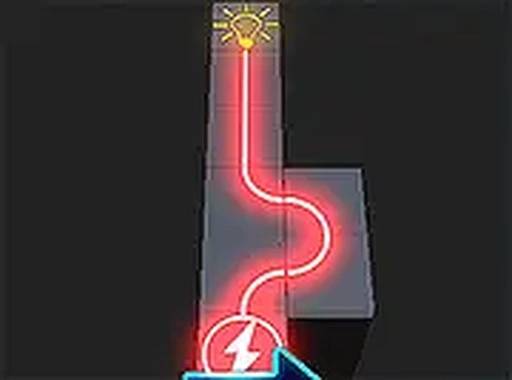
Light Up Puzzle Game
Reviews
About this game
Game Introduction
Light Up Puzzle Game is a free online puzzle that invites players to solve a unique challenge: rotating blocks to connect paths and light up the entire board. This browser-based game offers a relaxing yet stimulating experience for players of all ages. The core objective is simple: align the paths on each block to create a continuous connection from the starting point to the endpoint. When you succeed, the board lights up, providing clear visual feedback. There are no time limits or move restrictions, allowing you to think carefully and enjoy the process at your own pace. The game is designed for desktop play and works best with a keyboard or mouse. For a more immersive experience, you can play in full screen mode. Light Up Puzzle Game is a family-friendly activity that offers a gentle mental workout, making it suitable for both casual players and puzzle enthusiasts. Its intuitive design and increasing difficulty keep the challenge engaging without causing frustration.
How to Play
To play Light Up Puzzle Game, players typically click or tap on the blocks to rotate them. The goal is to align the paths on each block so that they form a continuous connection from the starting point to the endpoint. When the paths are correctly aligned, the board lights up, providing clear visual feedback. Since there are no time limits or move restrictions, you can experiment freely with different rotations. The game is controlled using a mouse or keyboard, making it easy for anyone to pick up and play. The increasing difficulty ensures that the challenge remains engaging as you progress.
Game Features
Light Up Puzzle Game offers a relaxing puzzle experience with no time or move limits. The simple one-click controls make it easy to start playing immediately. Visual feedback shows your progress clearly as you connect paths. The game provides a steady challenge through increasing difficulty. It is completely free to play in your browser and includes a full screen option for a more immersive experience. The game is designed for desktop play and works best with a keyboard or mouse.
Tips for Success
Take your time to observe the entire board before making rotations. Start from the edges or corners to build connections gradually. If you get stuck, try rotating a block in different directions to see how the path changes. Practice regularly to improve your spatial reasoning skills. Remember that there is no penalty for mistakes, so feel free to experiment with different strategies.
Leave a Comment