Voiplay

Details

Community Builder Town Simulator

Community Builder Town Simulator

Developer: Warlock Edge Creations
Published: 2026-03-13
Updated: 2026-07-04
Management Simulation Strategy

Reviews

Community Builder Town Simulator offers a satisfying blend of resource management and strategic planning. The gradual unlock system keeps you engaged without overwhelming you, and the ability to play on any device makes it highly accessible. The calm pace and clear goals make it an excellent choice for both short sessions and longer play.

About this game

Game Introduction

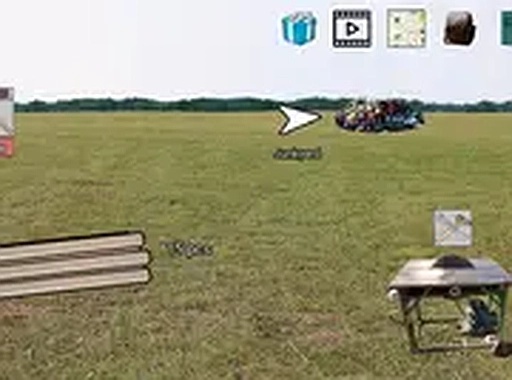
Community Builder Town Simulator is a settlement building game where players take on the role of a community developer. The core objective is to transform a small settlement into a prosperous town through careful resource management and strategic planning. Starting with basic materials like wood and stone, players must gather resources, craft essential tools, and construct buildings to unlock new opportunities. Each upgrade brings fresh areas to explore and more advanced items to create, offering a satisfying sense of progression. The game blends strategy with resource management, making every decision count as you expand your village. Playable directly in your browser on both phone and computer without any downloads, it provides a seamless experience for players of all ages.

How to Play

To play Community Builder Town Simulator, use simple tap or click controls to collect resources such as wood, stone, and food. Craft tools from these materials to build and upgrade structures like houses, workshops, and farms. As your settlement grows, new areas become available, allowing you to gather more resources and unlock advanced items. The game runs smoothly on mobile devices and desktops, and you can enjoy it in full screen mode for a more immersive experience. Just manage your town step by step and watch it thrive.

Game Features

Game features include settlement building from scratch, resource collection and management, tool crafting to speed up progress, and progressive upgrades that unlock new structures and areas. The game supports full screen mode and works on both mobile and desktop browsers without downloads.

Tips for Success

You will enjoy Community Builder Town Simulator for its calm pace and clear goals. The gradual unlock system keeps you engaged without overwhelming you, making it a perfect choice for relaxing breaks or short play sessions.

Compatibility

▸ Desktop: Chrome / Edge / Firefox / Safari
▸ Mobile: iOS Safari / Android Chrome
▸ Tablet: iPadOS Safari / Android Tablet Browser
Keep your browser updated for the best experience
Advertisement

Faq

Is Community Builder Town Simulator free to play?
Yes, the game is completely free to play. There are no hidden costs or in-app purchases required. You can enjoy the full experience directly in your browser without any payment.
Can I play Community Builder Town Simulator offline?
The game requires an internet connection to play as it runs in your browser. It is not available for offline play. However, you can play it on any device with a browser and internet access.
What are the system requirements for Community Builder Town Simulator?
The game is designed to work on most modern browsers on both mobile and desktop devices. A stable internet connection and a device with a screen size of at least 320 pixels wide are recommended for the best experience.
How long does it take to complete Community Builder Town Simulator?
The game offers ongoing progression with no fixed end point. Players can continue expanding their town and unlocking new content over many play sessions. The time to reach a prosperous town varies based on play style.
Does Community Builder Town Simulator have a tutorial?
The game includes an intuitive interface that guides new players through the basics of resource gathering and building. No separate tutorial is needed, as the controls are simple and the progression is gradual.
Can I save my progress in Community Builder Town Simulator?
Yes, the game automatically saves your progress as you play. You can close the browser and return later to continue from where you left off, as long as you use the same device and browser.

Leave a Comment